
Is GB WhatsApp Pro Safe for Your Phone?
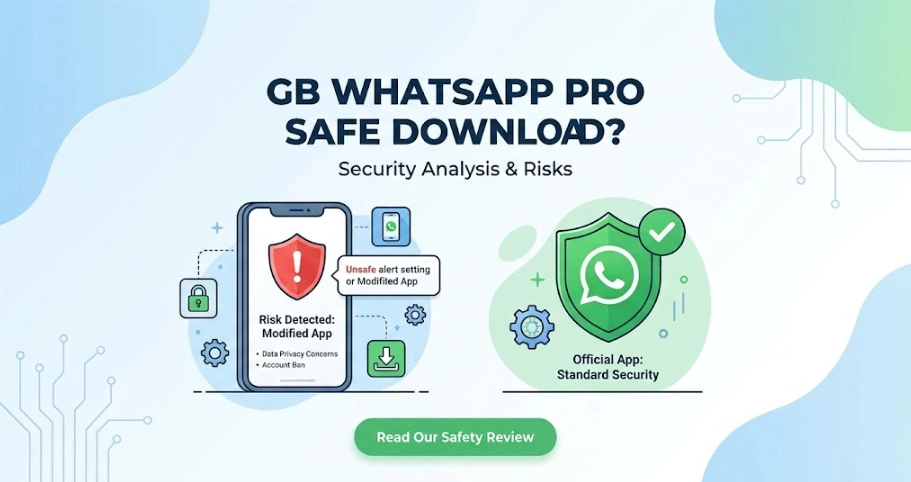
GB WhatsApp Pro is generally safe to use if you download it from a trusted source and keep it updated, but it’s still an unofficial version of WhatsApp.
Because it’s not developed or supported by Meta, there is always some risk, including possible account restrictions and the need to install updates manually.
Before using GB WhatsApp Pro, it’s important to understand both its advantages and its limitations so you can decide whether the extra features are worth the trade-off.
Is GB WhatsApp Pro Safe?
The short answer is yes, but with some important tips.
GB WhatsApp Pro isn’t a fake app or malware by itself. Millions of Android users install it because it offers features that the official WhatsApp doesn’t, such as custom themes, advanced privacy controls, message scheduling, and larger file sharing.
However, it’s important to remember that GB WhatsApp Pro is a third-party modification of WhatsApp. It isn’t available on Google Play, isn’t maintained by Meta, and doesn’t receive official security updates.
Risks of Using GB WhatsApp Pro
Before installing GB WhatsApp Pro, it’s worth understanding the possible drawbacks.
Account Suspension
Because GB WhatsApp Pro isn’t an official WhatsApp client, using it may violate WhatsApp’s Terms of Service. Although modern versions include anti-ban improvements, no modified WhatsApp can guarantee your account will never be suspended.
Fortunately, temporary bans have become less common than they were several years ago, especially if users keep their app updated.
No Official Support
If something goes wrong, you can’t contact WhatsApp Support for help with GB WhatsApp Pro. Any troubleshooting or updates depend on the developer and the website where you downloaded the APK.
Manual Updates
Unlike apps installed from Google Play, GB WhatsApp Pro doesn’t update automatically. You’ll need to install latest GB WhatsApp APK versions yourself to receive bug fixes, compatibility improvements, and new features
Does GB WhatsApp Pro Protect Your Privacy?
One of the biggest reasons people switch to GB WhatsApp Pro is its additional privacy features.
Compared with the official WhatsApp, you can control much more of your online activity, including:
- Hide online status
- Freeze last seen
- Hide blue ticks
- Hide typing indicator
- Hide recording status
- Lock individual chats
- Lock the entire app
- View deleted messages
- Hide viewed status
These options give users much greater control over what contacts can see.
However, privacy features don’t automatically mean better security.
Since GB WhatsApp Pro is developed by a third party, it doesn’t go through the same review and distribution process as the official WhatsApp. If protecting highly sensitive personal or business information is your top priority, the official app remains the safer choice.
How Can You Use GB WhatsApp Pro More Safely?
Although no unofficial app is completely risk-free, following a few best practices can make your experience much safer.
Download from a Trusted Website
Always download the latest APK from a reliable source, such as our site: https://gbwaaplus.com/download/. Avoid websites that contain multiple fake download buttons or excessive pop-up ads.
Keep the App Updated
Developers regularly release updates to improve compatibility with WhatsApp servers, fix bugs, and reduce ban risks. Running an outdated version is one of the most common causes of problems.
Back Up Your Chats
Before updating or reinstalling the app, create a local backup of your chats. This makes it much easier to restore your conversations if anything goes wrong.
Protect Your Device
Use a screen lock, fingerprint, or password on your phone, and keep Android updated with the latest security patches
Pros and Cons of GB WhatsApp Pro
| Pros | Cons |
| More privacy controls | Not officially supported by Meta |
| Thousands of themes | Possible account suspension |
| Auto reply and message scheduling | Manual updates required |
| Larger file sharing | APK must be installed manually |
| Dual WhatsApp accounts | No Google Play download |
| Chat lock and App lock | Requires local backups |
For many users, these additional features make GB WhatsApp Pro more enjoyable than the official app. Others may prefer the stability and official support that comes with standard WhatsApp. It ultimately depends on which matters more to you: extra functionality or official reliability
Should You Use GB WhatsApp Pro?
GB WhatsApp Pro is a good choice if you:
- Want more customization options.
- Need advanced privacy controls.
- Use WhatsApp for both personal and business communication.
- Want features like auto replies, message scheduling, or dual accounts.
You may want to stick with the official WhatsApp if you:
- Prefer automatic updates.
- Need official customer support.
- Handle highly confidential information.
- Don’t want any possibility of account restrictions.
For most casual users, the decision comes down to whether the additional features are worth installing an unofficial application
Frequently Asked Questions
Can WhatsApp ban my account for using GB WhatsApp Pro?
Yes. Although recent versions include anti-ban improvements, Meta can still restrict accounts that use modified WhatsApp clients. Keeping your app updated helps reduce the risk but cannot eliminate it entirely.
Does GB WhatsApp Pro contain viruses?
The app itself isn’t a virus. However, APK files from unknown websites may be modified or bundled with malicious software. Always download from a reputable source.
Is GB WhatsApp Pro safer than older GB WhatsApp versions?
Generally, yes. Newer releases often include bug fixes, compatibility improvements, and updated anti-ban measures, making them more reliable than outdated versions.
Can I use GB WhatsApp Pro together with official WhatsApp?
Yes. Many users install both apps on the same Android device by using different phone numbers for each account.
Will I lose my chats if I update GB WhatsApp Pro?
Normally, no. If you install the latest APK over your existing version, your chats and settings should remain intact. It’s still recommended to create a local backup before every update.